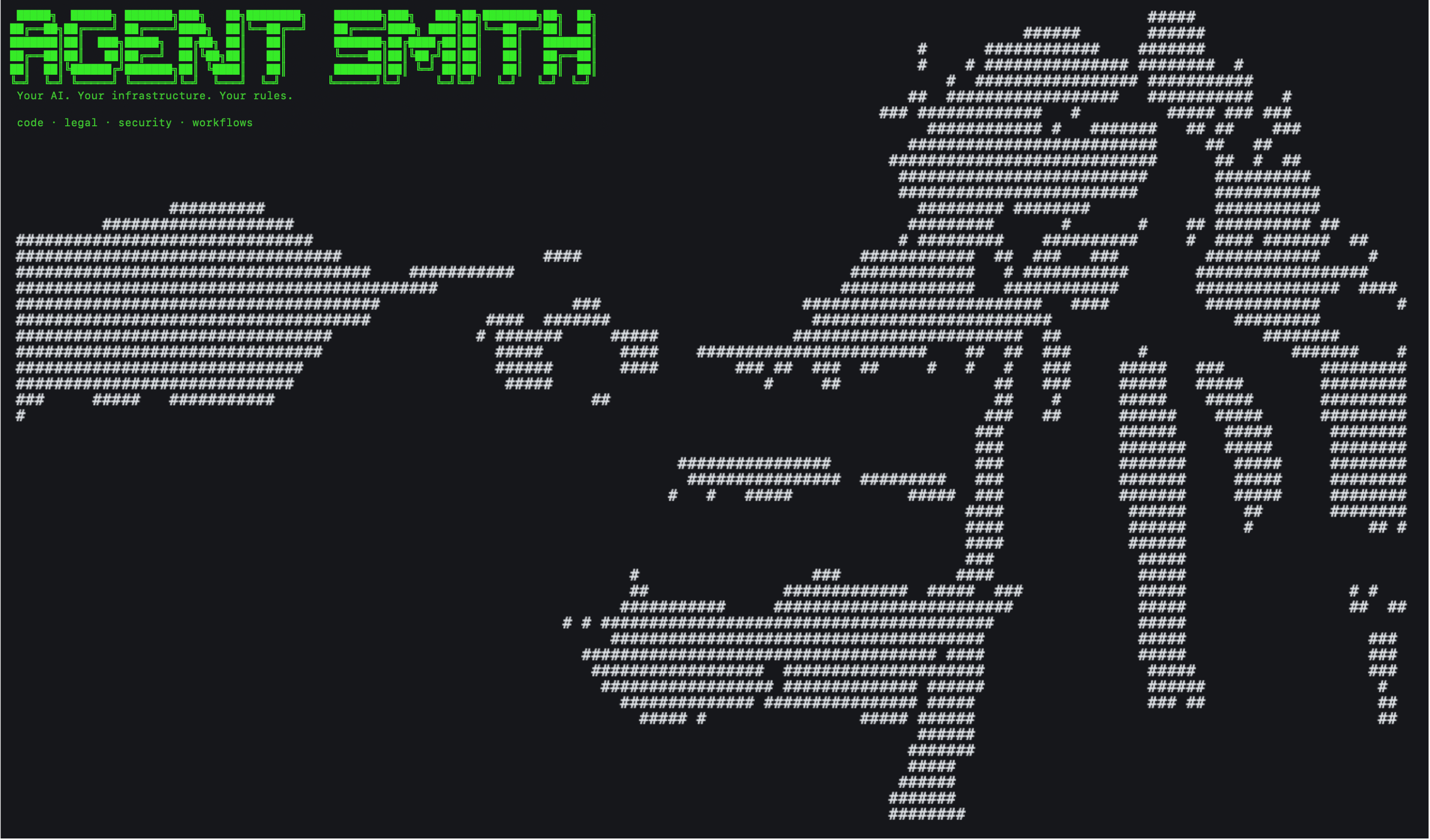
From ticket to PR
Agent Smith is an open source AI coding agent. You drop a ticket into your tracker, and a PR shows up on your repo, with the ticket already updated to point at it. Every run writes down what it cost in tokens and dollars, and every change it made comes with the reasoning the agent followed. That's the whole loop.
This page is the orientation. There's a fast-path link list at the bottom — if you're here to ship today, skip the rest and jump straight in.
What it does, in one paragraph
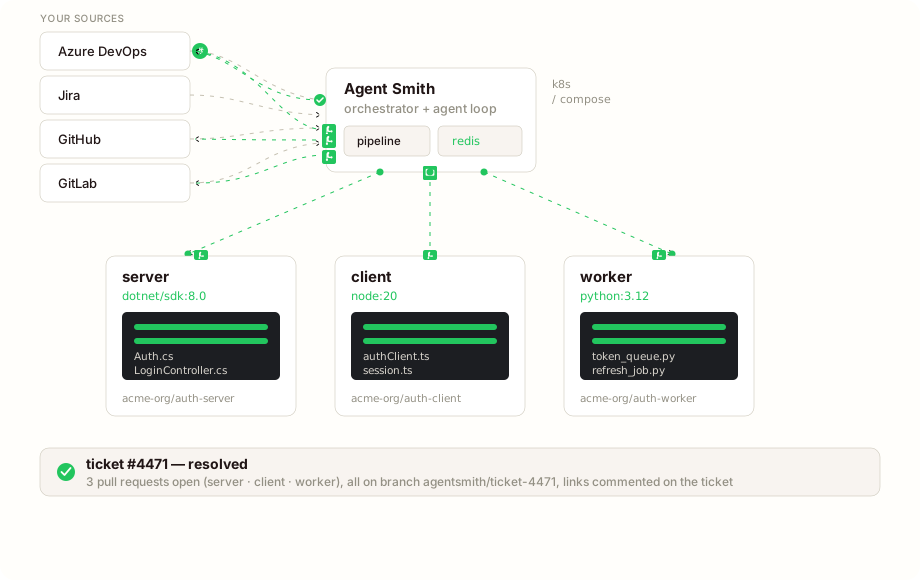
You drop a ticket into your tracker. Agent Smith reads it and derives a specification from it: the specs the work needs and, per spec, the list of what has to be true when it's done. It clones every repo in the project into its own sandbox (each with its own toolchain image — a .NET repo gets dotnet/sdk:8.0, a Node repo gets node:20), works the specs in order, runs the verification each repository declares, and accounts for every criterion with the evidence it found. Then it opens one pull request per repo with the changes cross-linked and writes the ticket back with every PR URL in the comment. If the ticket is too thin, it asks instead of guessing.
If you'd rather think the change through first, Work it out in the dashboard is a conversation with an agent that reads your code while it answers. What you approve there is filed as one ticket, and the run executes exactly that specification.
Watch it work
The dashboard is a live mission-control view of every run — what's waiting on you, what's running, and what finished today, each with its cost and the story of how it got there.
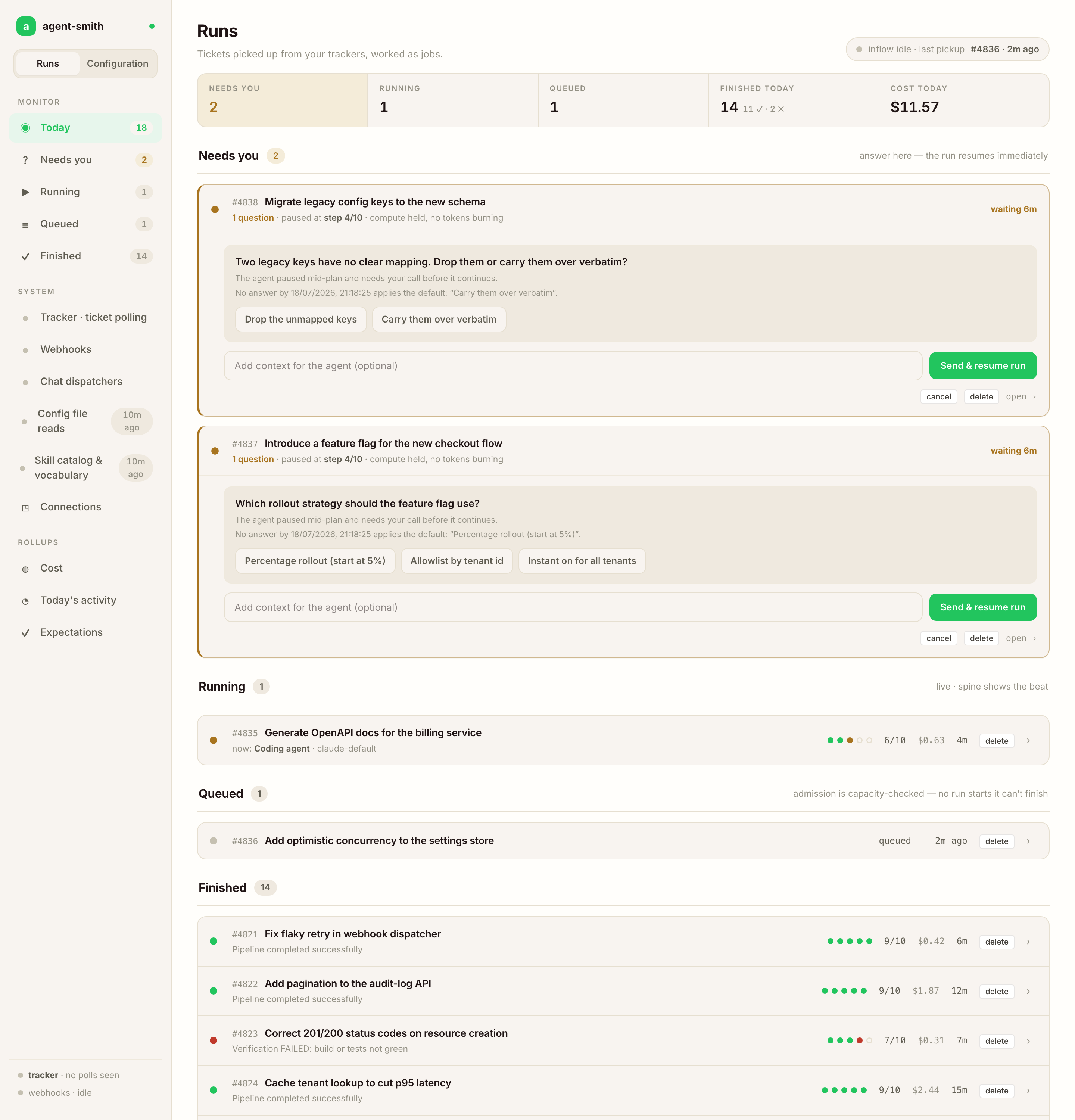
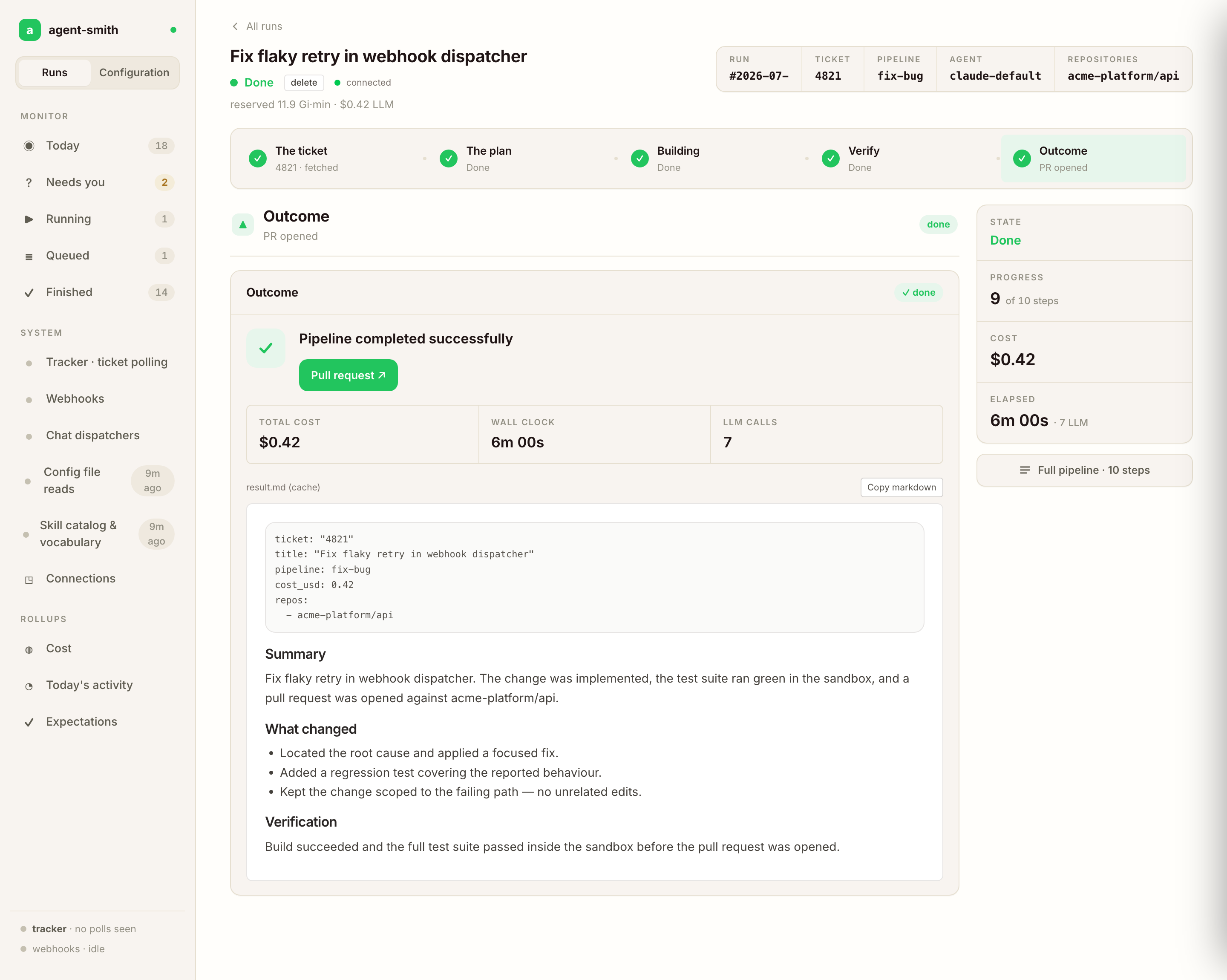
A run that hits a decision it shouldn't make alone pauses and asks; your answer resumes it, and no tokens burn while it waits. Every run keeps a five-beat story — ticket → plan → build → verify → outcome — you can open, and the verify beat shows each acceptance criterion with its verdict and the evidence behind it:
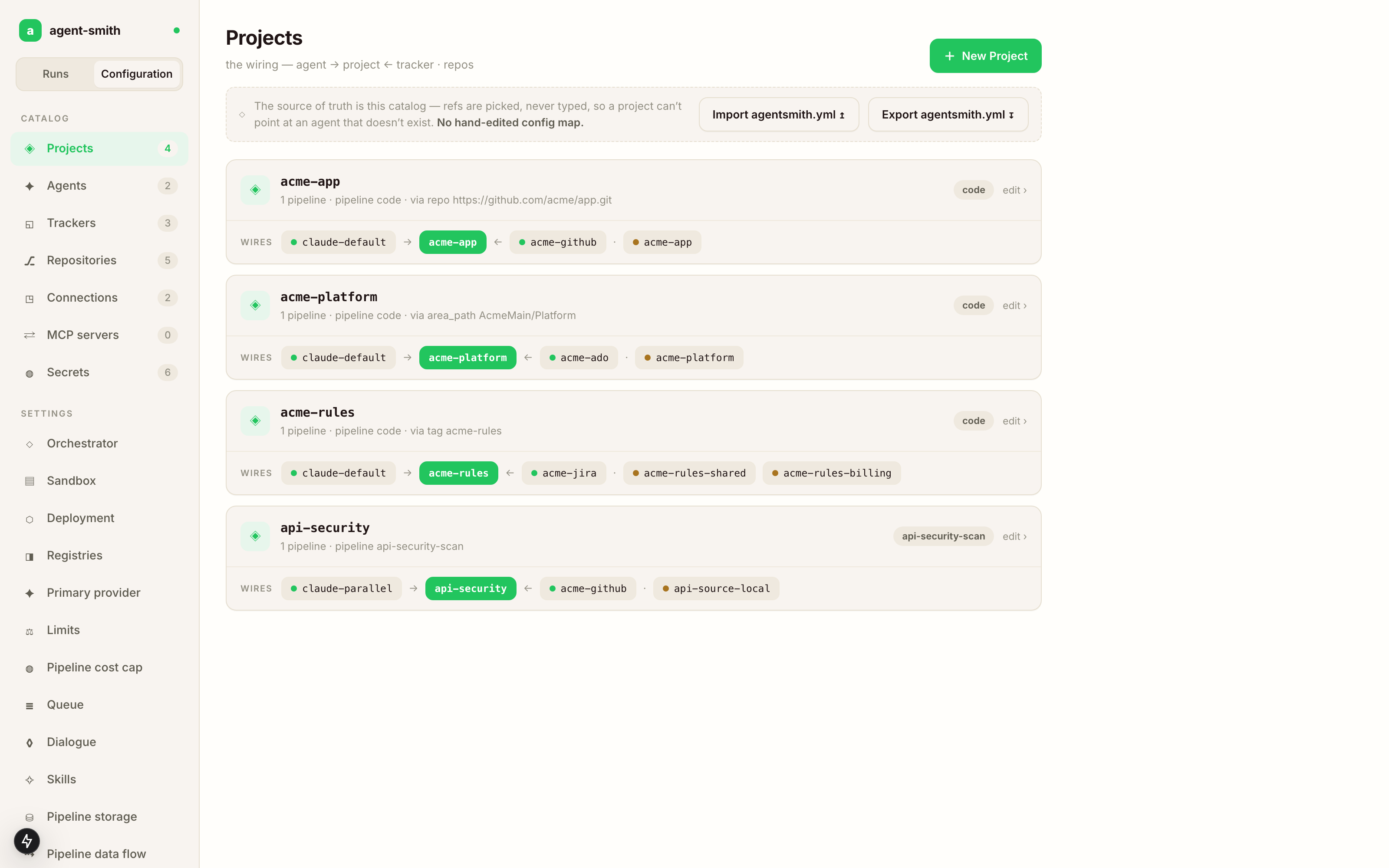
Configuration for a server lives in the database and gets edited right here: agents, trackers, repos and connections wired into projects, with every reference picked from the catalog, so a project can never point at something that doesn't exist. Every edit is attributed and revertible, and the running server picks it up without a restart.
What lands on disk after a run
Every run gets a directory under .agentsmith/runs/, named by the run id: a UTC timestamp plus a 4-hex collision suffix.
.agentsmith/runs/2026-05-22T14-03-11-9f2a/
├── plan.md       — the master's working plan, when it wrote one
└── result.md     — what got done, the delivery account, cost in tokens and USD
Next to it, the spec a run executed sits under .agentsmith/specs/, and the choices it made go into .agentsmith/decisions/, each naming what it picked and what it beat. That's the why-record. Six months later, when you've forgotten why the agent picked path A over path B, the answer is in there. That was the reason I built it this way — I got tired of code I couldn't reverse-engineer.
What's supported
Trackers — these are the ticket sources Agent Smith reads from and writes back to.
| Tracker | Trigger modes | Connect page |
|---|---|---|
| Azure DevOps Boards | webhook · polling · label | Azure DevOps |
| Jira | webhook · polling · label | Jira |
| GitHub Issues | webhook · label | GitHub Issues |
| GitLab Issues | webhook · polling · label | GitLab Issues |
AI providers — Agent Smith calls these directly from your infrastructure. You pick the model per role (a cheap one for scout passes, the good one for the actual code).
| Provider | Notes |
|---|---|
| Anthropic Claude | First-class. Prompt caching on by default. |
| OpenAI | First-class. Reasoning models supported. |
| Azure OpenAI | Same as OpenAI plus per-deployment routing. |
| Google Gemini | First-class. |
| Ollama | Local models. No API key, no internet. |
| GitHub Copilot | Runs on a Copilot seat you already pay for. |
See Connect your AI provider for the config blocks.
Skills — the masters that drive each pipeline and the rules they follow are developed in a separate repo, github.com/holgerleichsenring/agent-smith-skills, and every release ships with its catalog embedded: the binary you download already carries the exact skills it was tested with. Nothing to pin, nothing to fetch on first run. A skills: block in agentsmith.yml is only for overriding that — skills development, air-gap mirrors. See Skills catalog.
Get running today
The pages below are the fast-path. The only thing step 2 needs is an API key for an AI provider — everything else comes later.
- Install — CLI binary, Docker image, or k8s.
- First run —
agent-smith demoproves the whole loop on a bundled sample project. One LLM key, no tracker, no Docker, minutes. - Connect your tracker — pick the page for your tracker.
- Connect your repos — single repo, or multi-repo if your project spans more than one.
- Connect your AI provider — the config block for the provider you have.
- Point the loop at a real ticket:
agent-smith code --ticket 54 --project todolist— the first-run page walks it end to end.agent-smith doctorbefore that tells you whether the wiring holds.
Then pick a trigger mode (webhook is what you want for production) and pick a host setup (docker-compose is the easiest, k8s is what you want for shared use). Once it runs server-side, the dashboard is where you watch it: live step timeline, per-call LLM cost with the cached share, queued runs with their position, a cancel button that actually kills things.
How it works, when you have time
- Methodology — spec first, then code, then an account of what got delivered, and why.
- Lifecycle — what happens between ticket-in and ticket-back.
- The delivery account — every acceptance criterion gets a verdict with evidence, and you can overrule one.
- Spec dialogue — the conversation before the ticket, in Slack, Teams or the dashboard.
- Work it out — the dashboard page for that conversation, and ticket conversations.
- Expectations & durable dialogue — the done-list as the run's contract, and how a run waits days for your answer without burning compute.
- Multi-repo pipelines — one ticket, N sandboxes, N pull requests.
- Skills catalog — where skills live, how versioning works.
Everything else lives in Reference. That's where the per-pipeline pages, the full agentsmith.yml schema, the architecture deep-dives, the pipeline-specific pages and the historical run-logs sit.
License
MIT. Copyright (c) 2026 Holger Leichsenring. Source at github.com/holgerleichsenring/agent-smith.